Photo label
Virtually Staged
Generate clear labels, MLS captions, flyer wording, social captions, and QR-code text for virtually staged, digitally altered, AI-edited, and concept real estate images.
Built for real estate listing workflows. No signup required.
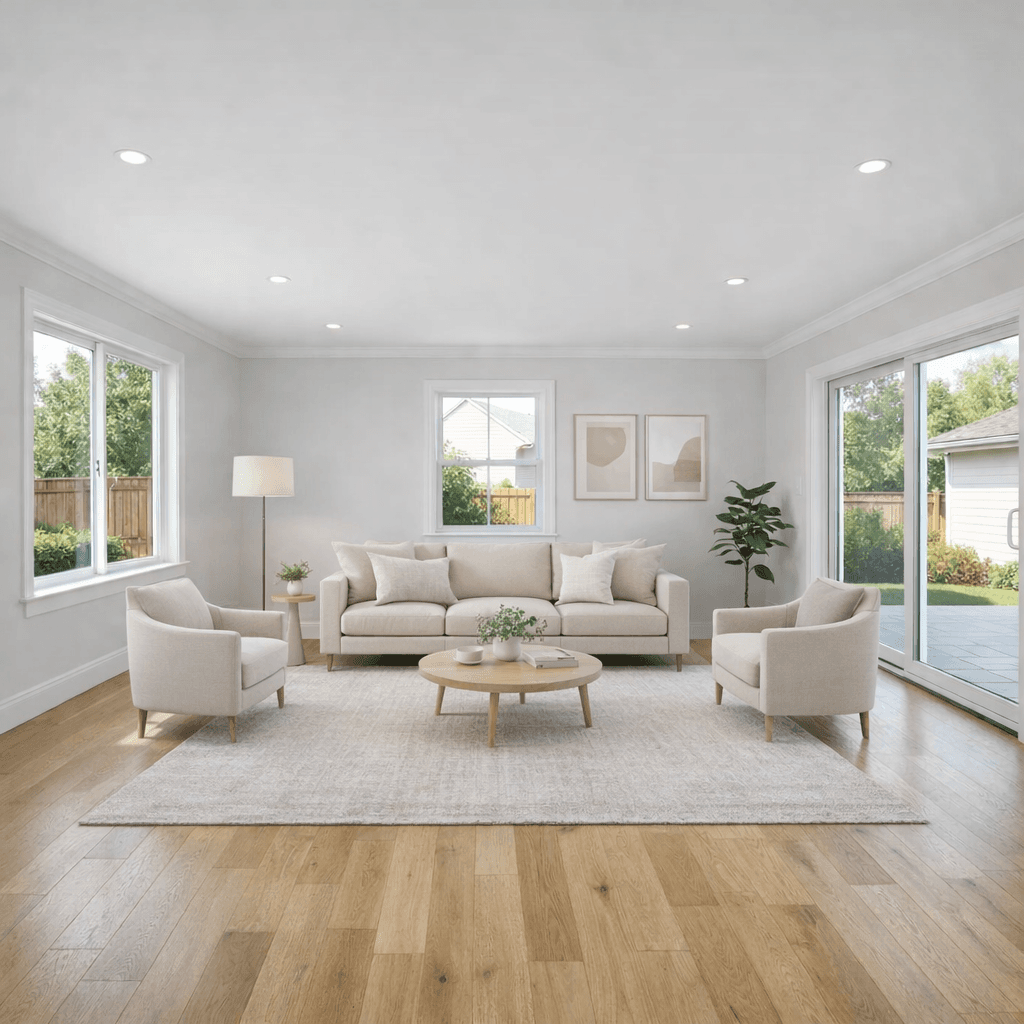 BeforeAfterVirtually StagedOriginal available
Generate the label, caption, and QR wording before you publish.
Choose the market, use case, edit type, and original-photo workflow. Outputs update instantly.
Built for MLS, Flyer / print ad, Social media. This is workflow guidance, not legal approval.
Recommended label
Disclosure likely needed. Original access may be required for qualifying digitally altered images.
Selected changes: furniture added and decor added.
Virtually staged image. Furniture and decor have been digitally added for visualization and are not included in the sale. Original unaltered photo is included adjacent to this image.
Scan to view the original unaltered photo.
The QR code should send buyers to the original unaltered photo, or to a comparison page that shows the original beside the edited image. Use a link buyers can open without a login.
Virtually staged for visualization. Furniture and decor have been digitally added for visualization and are not included in the sale.
This image has been virtually staged for visualization. Furniture and decor have been digitally added for visualization and are not included in the sale. Original photo available by request or linked in the listing.
Some images have been virtually staged or digitally altered to help visualize the property. Original unaltered images are available with the listing.
Need a staged version to disclose?
Stage the room first, then copy the label, caption, QR wording, and upload-order guidance.
Select virtual staging, cleanup, exterior refresh, sky replacement, land concept, or standard correction.
Get labels, MLS captions, print wording, social captions, website copy, QR text, and upload-order guidance.
Use the wording in your listing workflow after broker, MLS, and local-rule review.
Virtual staging disclosure is the label, caption, or notice used to tell buyers when furniture, decor, or other visual elements have been digitally added, removed, or changed. Good disclosure does not have to sound like legal software. It should simply make the image status obvious and point buyers to the original unaltered photo when that workflow is required or appropriate.
Disclosure is usually recommended, and may be required, when furniture is added or removed, decor is added, a room is virtually staged, fixed finishes are changed, landscaping or exterior condition is altered, the view or neighboring property is changed, or AI creates something that is not physically there.
Disclosure may not be needed for standard photo correction when the property itself is not changed, such as brightness, exposure, white balance, cropping, straightening, sharpening, or resizing. San Diego MLS guidance describes these normal enhancements as generally different from edits that change the property itself.
Source: San Diego MLS AB 723 guidance
Virtually Staged
Virtually staged image. Furniture and decor have been digitally added for visualization and are not included in the sale.
Image has been digitally altered. Scan the QR code to view the original unaltered photo.
Scan to view the original unaltered photo.
This image has been virtually staged for visualization. Furniture and decor are digital and not included.
Some images have been virtually staged or digitally altered to help visualize the property. Original unaltered images are available with the listing.
CRMLS guidance says original unaltered images should appear immediately before or after digitally enhanced images in the listing, and altered images should be clearly labeled with wording such as digitally enhanced, digitally altered, or virtually staged.
California AB 723 took effect on January 1, 2026. The bill covers qualifying digitally altered real estate images used by a real estate broker, salesperson, or someone acting on their behalf in promotional material. The practical workflow is clear disclosure plus access to the original unaltered image through a website, URL, or QR code when the rule applies.
CRMLS says its guide addresses California AB 723 and CRMLS Rule 11.5.2, and that new digitally altered/enhanced image rules went into effect January 1, 2026. Use this as a practical starting point for disclosure wording, not as a legal ruling.
Sources: California Legislative Information - CRMLS Knowledgebase
Often, yes. Requirements vary by MLS, broker, state, and advertising channel, but virtually staged or materially digitally altered listing images should be clearly labeled when disclosure is required or expected.
A simple label such as Virtually Staged is usually clearer than vague wording. Captions should explain that furniture or decor is digital and not included in the sale.
Some markets require access to the original unaltered image. A conservative workflow keeps the original and places it near the edited image or makes it available through a URL or QR code.
Decluttering can be digitally altered when it removes visible items or changes what a buyer thinks is present. Keep the original and avoid hiding fixed property conditions.
Sky replacement is usually a digitally altered image. It should not change the view, neighboring conditions, utility lines, weather risk, or other property facts buyers rely on.
Standard brightness, exposure, color balance, crop, straightening, sharpening, and resizing may not need disclosure when they do not change the property itself.
A QR code can help buyers reach the original unaltered photo from flyers, brochures, signs, or other off-platform materials. Confirm your MLS and broker rules before relying on it.
Yes, but the wording should be clear that the image is a concept visual only and does not represent approved plans, zoning, permits, utilities, setbacks, construction feasibility, or included improvements.
Use an on-image label or watermark when your MLS, broker, or advertising workflow requires it. Even when you use a label, keep a clear caption and original-photo workflow.
No. This generator provides general wording and workflow guidance. Always follow your broker, MLS, state, and local rules.